Setting up Development Environment
Setting up FlowerSdk Dependency
The FlowerSdk is available as a Swift Package through GitHub. To integrate it, follow these steps:
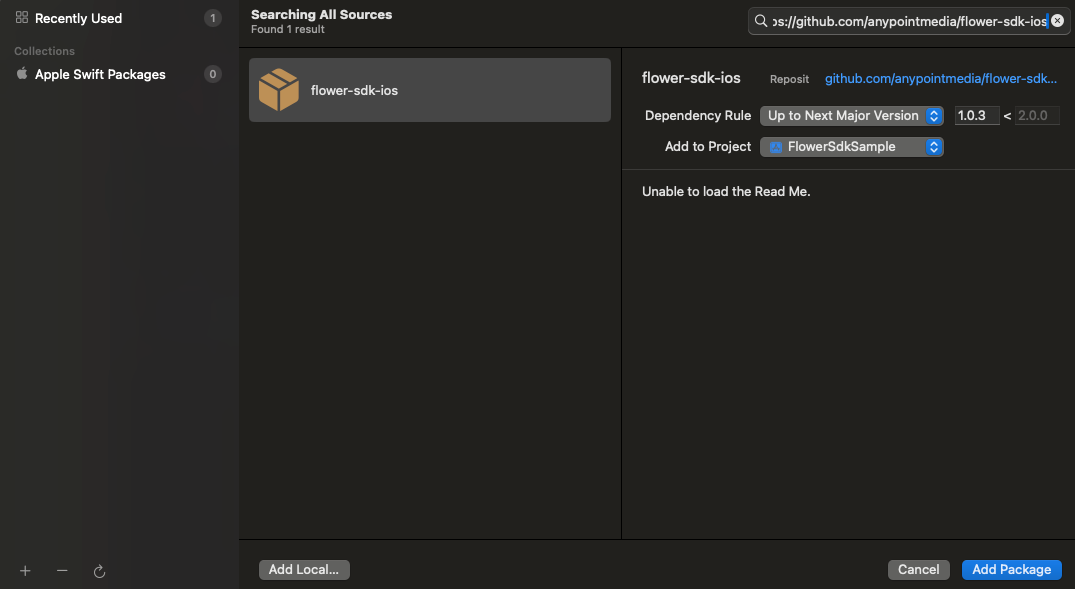
- Add the Package Dependency: Go to File > Add Package Dependencies… and enter the repository URL for the Flower SDK.
https://github.com/anypointmedia/flower-sdk-ios
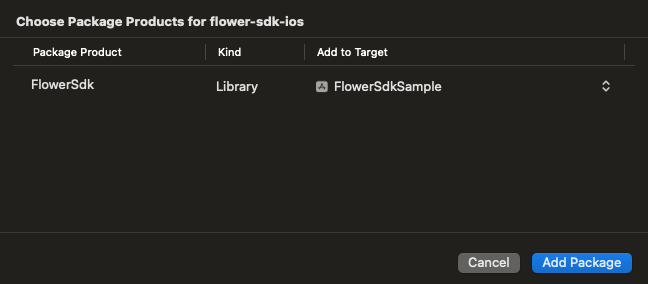
- Add the Flower SDK to Your Project: In the next screen, select the FlowerSdk and add it to your iOS app project.
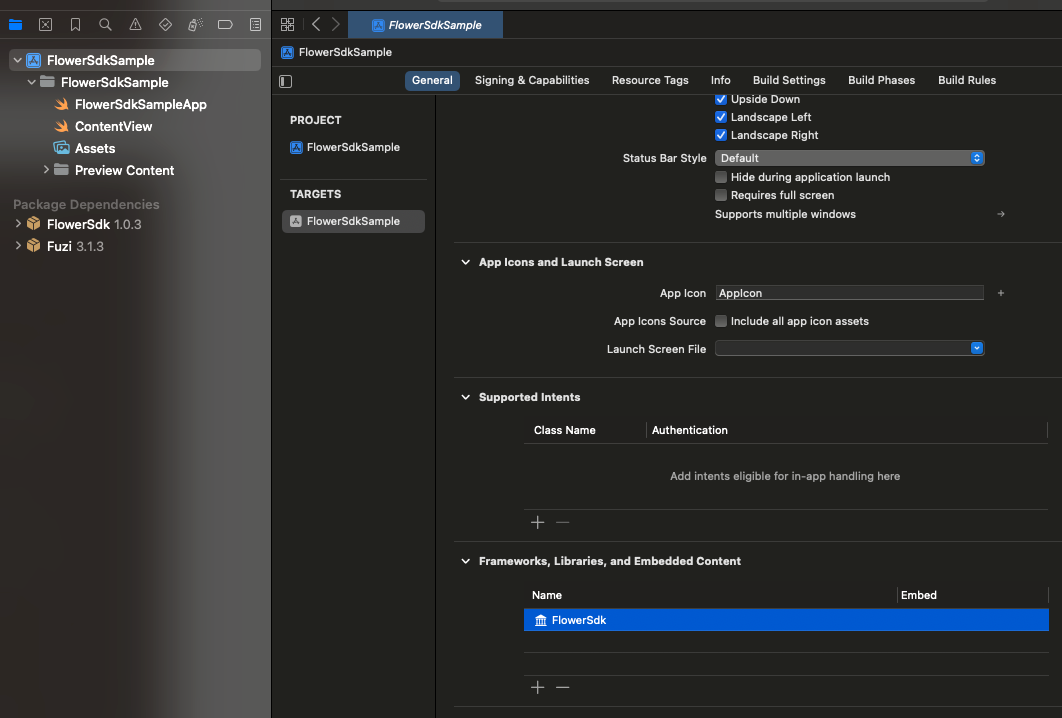
- Verify the Flower SDK in Project Settings: Confirm that the FlowerSdk has been added to your project by checking the General settings tab in your iOS app project.